
Use case — IT, Admin & Security
Windows Server administration labs for education
Infrastructure modules need real Windows Server machines — and installing them across student laptops is a licensing and hardware dead end. Cloud Pulse provides Windows Server 2022 and 2025 environments students reach remotely, deployed from templates and reset between exercises.
- Windows Server 2022 and 2025 environments per student or group
- Remote access to each machine — no local installs or licensing setup
- Server roles and administration practised hands-on
- Directory services concepts, with Active Directory-style exercises where configured
- Windows and Linux machines combined in one lab where modules need both
A use case supported by Education Host — platforms, hosting and infrastructure built exclusively for education.
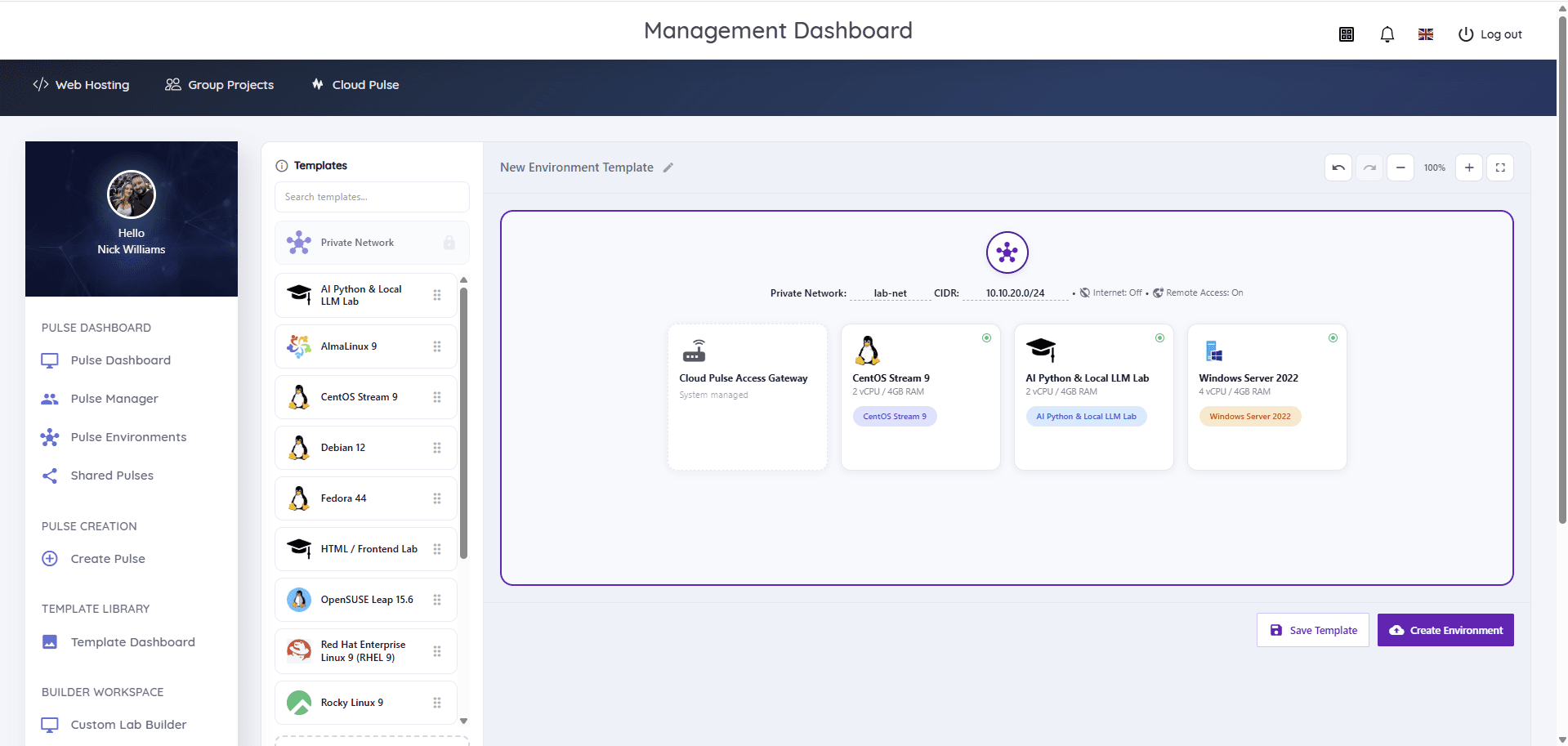
The challenge: Windows Server does not fit on student laptops
Server operating systems demand resources, licences and setup time that personal devices and timetabled lab rooms cannot reliably give.
Licensing and hardware walls
Evaluation copies, activation limits and heavy resource needs make local Windows Server installs a support burden.
Infrastructure needs multiple machines
Realistic exercises pair servers with clients or second servers — beyond what a single student device can host.
Snapshots and resets matter
Role configuration exercises need clean starting points every week, not machines carrying last session's mistakes.
How Education Host supports Windows Server teaching
Cloud Pulse provides Windows Server 2022 and 2025 education virtual machines as standard templates — deployed per student or per group, reached remotely, and reset from the template between exercises. No local installation, activation or hardware triage.
The Custom Lab Builder combines Windows Server machines with Linux servers and private lab networks for realistic infrastructure exercises. Directory services teaching is supported, with Active Directory-style lab designs scoped and configured with your module during onboarding.
- Windows Server 2022 and 2025 standard templates
- Remote access to each machine through the platform's managed access
- Server roles, features and administration exercises
- Directory services concepts; Active Directory-style labs where configured
- Mixed Windows-and-Linux lab designs on private networks
- Clean template resets between weekly exercises
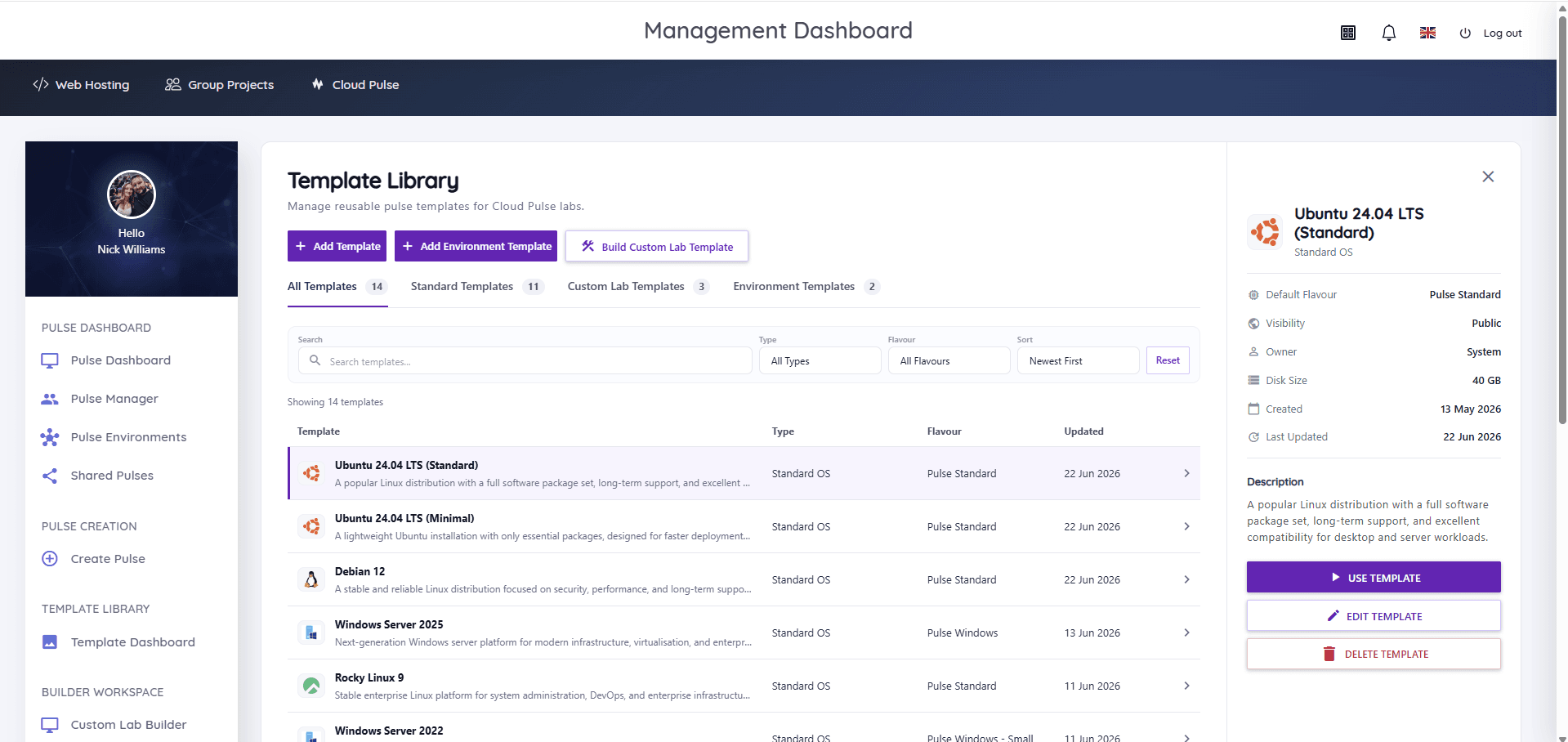
What students and lecturers can do
Server administration for real, on managed capacity.
- Install and configure Windows Server roles and features
- Practise remote administration and management tooling
- Work through storage, networking and service exercises
- Explore directory services concepts, with AD-style labs where configured
- Combine Windows and Linux machines in one exercise
- Lecturers monitor environments live and reset machines between sessions
Example teaching activities
Infrastructure coursework that fits Windows Server pulses.
Server roles walkthrough
Students stand up file, web and DNS roles on their own server and document each configuration.
Multi-server exercise
Two machines on a private lab network — configure services on one, consume and verify them from the other.
Directory services lab
Identity and directory concepts taught hands-on, with Active Directory-style designs where configured for the module.
Administration assessment
A timed configuration task assessed against the actual machine state at the deadline.
Which Education Host platforms fit this use case
Windows Server teaching runs on Cloud Pulse and managed UK infrastructure.
Cloud Pulse
Browser-based computing labs for universities
Windows Server 2022 and 2025 environments from standard templates, with mixed-OS lab designs via the Custom Lab Builder.
Explore Cloud PulseManaged Infrastructure
UK data-centre hosting, managed by Education Host
The monitored UK infrastructure providing the capacity Windows Server labs need.
Explore Managed InfrastructureTeaching outcomes
- Every student administers real Windows Server, regardless of their own device
- Licensing and activation stop being a module-planning problem
- Multi-machine infrastructure exercises become routine
- Weekly exercises start clean from template resets
- One platform covers Windows, Linux and mixed labs
Explore related use cases
Scenarios institutions often pair with this one.
Linux server administration
Root access to real Linux servers for every student — users, permissions, services and SSH practised in browser-based labs.
Explore use caseOperating systems modules
Windows and Linux environments for operating systems teaching — consistent, browser-accessed machines instead of local installs on student laptops.
Explore use caseNetworking labs
Controlled multi-machine environments for networking teaching — IP addressing, services, DNS and client–server exercises without touching production networks.
Explore use caseCyber security labs
Isolated, controlled lab environments for security teaching — private networks, Kali Linux images and multi-machine exercises within agreed boundaries.
Explore use caseWindows Server administration — frequently asked questions
Direct answers about this use case and the Education Host platforms behind it.
- What are Windows Server administration labs?
- They are managed teaching environments where students configure and administer real Windows Server machines — roles, services, storage and networking — accessed remotely instead of installed on personal devices.
- How does Education Host support Windows Server teaching?
- Cloud Pulse provides Windows Server 2022 and 2025 environments as standard templates, deployed per student or group, combined with Linux machines and private networks where the exercise needs them, and reset cleanly between sessions.
- Can students practise Active Directory?
- Directory services teaching is supported, and Active Directory-style lab designs can be configured where a module needs them — the specific design is scoped with your teaching team during onboarding.
- How do students access the machines?
- Students reach their Windows Server environments remotely through Cloud Pulse's managed access, from any device — no local virtualisation or licensing setup.
- Can Windows and Linux be taught on one platform?
- Yes. Cloud Pulse templates cover Windows Server and the major Linux distributions, and the Custom Lab Builder combines both in a single lab design.
- Which Education Host platform is best for this?
- Cloud Pulse, running on Education Host managed infrastructure — templates, deployment, monitoring and resets all live in one place.
- How do we start?
- Book a consultation with Education Host — we'll scope your server exercises, machine counts and any directory services designs, and prepare templates for your cohort.
See how this use case fits your institution
Tell us about your modules, cohorts and calendar, and we'll map this use case to the right Education Host platforms — including what to leave out.