
Use case — IT, Admin & Security
Operating systems modules with browser-based lab access
Operating systems modules need students inside real operating systems — processes, permissions, users, services — on both Linux and Windows. Cloud Pulse delivers those environments through the browser from reusable templates, so the module stops depending on what each student's laptop can run.
- Windows and Linux lab environments, where configured
- Browser-based access through Cloud Pulse — no local installs
- Identical environments for every student on the module
- Processes, permissions, users and services practised hands-on
- Stable access through teaching and assessment periods
A use case supported by Education Host — platforms, hosting and infrastructure built exclusively for education.
The challenge: OS teaching that depends on student laptops
Asking students to run their own virtual machines locally means the module inherits every laptop's hardware limits, permission policies and hypervisor quirks.
Local installs are inconsistent
Hypervisors behave differently across operating systems and hardware, and some student machines cannot run a second OS at all.
Two OS families to standardise
A good OS module compares Linux and Windows behaviour — doubling the local-setup problem if each student builds both by hand.
Assessment needs stable access
Practical OS assessments fall apart when environments live on personal devices that break, change or go missing at the deadline.
How can universities teach operating systems without local installs?
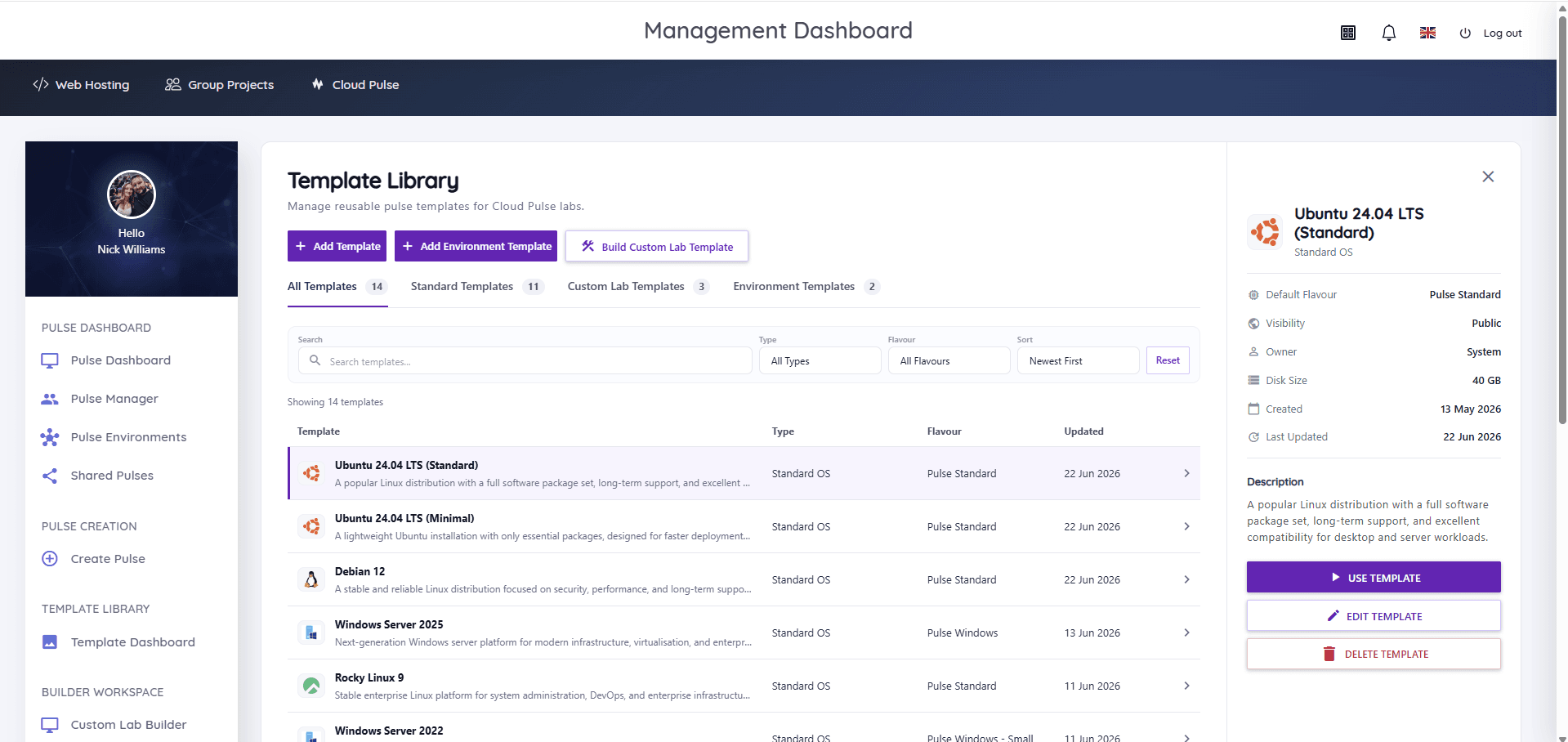
By moving the lab into the browser. Cloud Pulse provides Linux and Windows Server education virtual machines from standard templates — Ubuntu, Debian, Rocky Linux and the other major distributions alongside Windows Server 2022 and 2025 — so every student opens an identical, module-defined environment with no local setup.
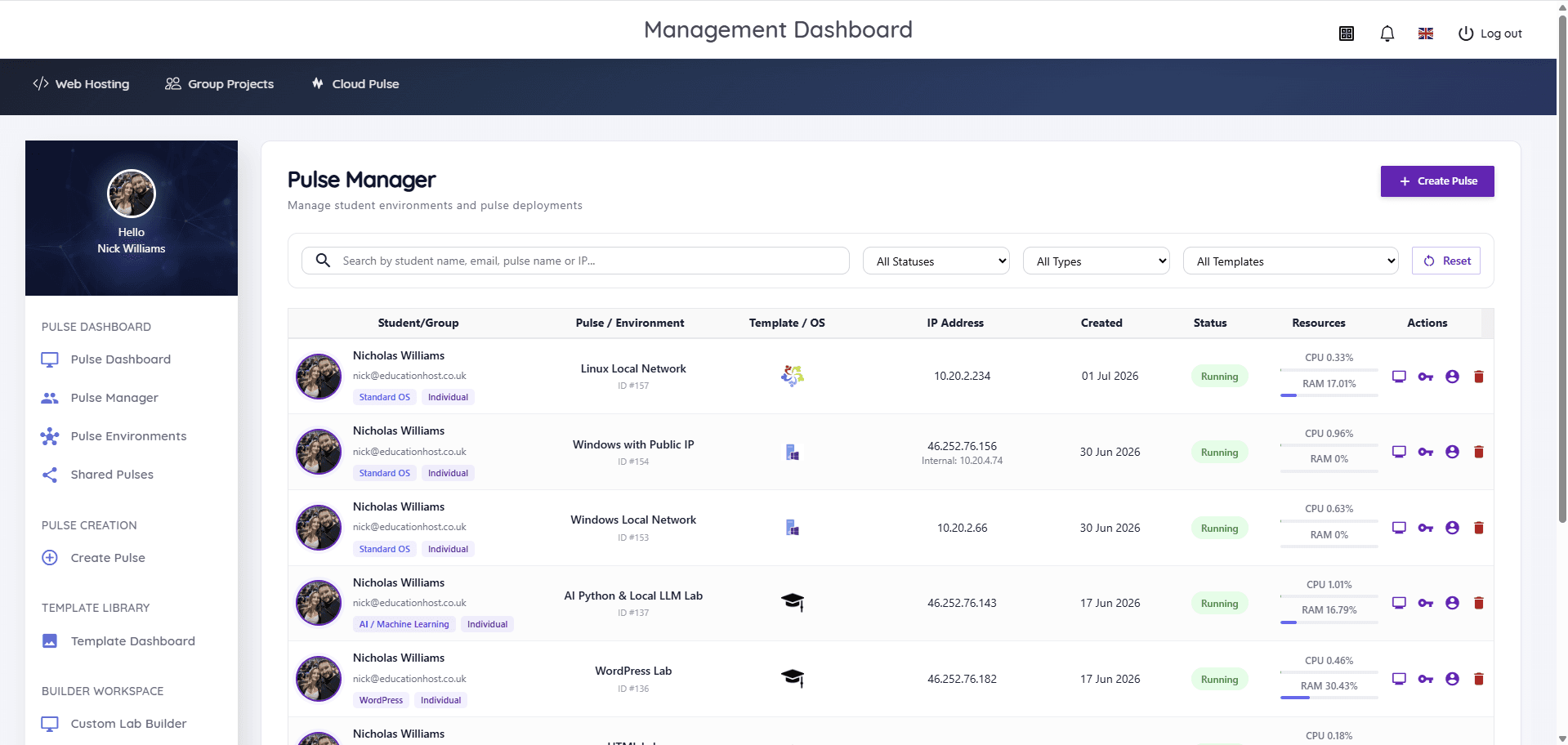
Lecturers deploy the environments per student from a template, watch live status in Pulse Manager and reset any machine between exercises. Managed Infrastructure provides the capacity underneath, Managed Technical Support can back delivery where a support arrangement helps, and Education Host can help scope the module's lab design.
- Linux and Windows Server templates deployed per student
- Browser console and Web SSH access from any device
- Remote access to Windows environments through the platform's managed access
- Clean template resets between weekly exercises
- Live per-student status and resource usage for lecturers
- Capacity and reliability handled by Education Host managed infrastructure
What students and lecturers can do
Inside the operating system, not fighting to install one.
- Work through file systems, permissions, users and groups on Linux
- Inspect and manage processes and services hands-on
- Explore Windows Server administration concepts, where configured
- Practise remote access with SSH and remote desktop workflows
- Compare Linux and Windows behaviour side by side in one module
- Lecturers reset broken environments from the template in minutes
Example teaching activities
OS coursework that fits browser-based lab machines.
Shell and permissions series
Weekly Linux exercises on files, permissions, users and groups, marked against the actual machine state.
Processes and services lab
Students inspect processes, manage services and diagnose resource usage inside their own environment.
Windows administration exercise
System administration basics on a Windows Server machine, reached remotely — no local licensing setup.
OS comparison assignment
The same task completed on Linux and Windows, with students documenting how each OS approaches it.
Which Education Host platforms fit this use case
Operating systems teaching runs on Cloud Pulse, with infrastructure, support and scoping around it.
Cloud Pulse
Browser-based computing labs for universities
Linux and Windows Server lab environments from reusable templates, accessed in the browser with live lecturer oversight.
Explore Cloud PulseManaged Infrastructure
UK data-centre hosting, managed by Education Host
The monitored UK capacity behind the lab machines, managed by Education Host.
Explore Managed InfrastructureManaged Technical Support
Support for education platforms and infrastructure
A scoped support arrangement around module delivery, where teams want a standing escalation route.
Explore Managed Technical SupportConsultancy
Education platforms, data and digital operations
Education Host can help scope lab designs, machine counts and templates for the module.
Explore ConsultancyTeaching outcomes
- Every student works inside real operating systems from week one
- The module no longer depends on student hardware or hypervisors
- Linux and Windows are taught and compared on one platform
- Assessments run against stable, institution-managed environments
- Lab setup is a template decision, not a per-laptop support job
Explore related use cases
Scenarios institutions often pair with this one.
Linux server administration
Root access to real Linux servers for every student — users, permissions, services and SSH practised in browser-based labs.
Explore use caseWindows Server administration
Windows Server 2022 and 2025 teaching environments — server roles, remote administration and directory services concepts without local licensing headaches.
Explore use caseNetworking labs
Controlled multi-machine environments for networking teaching — IP addressing, services, DNS and client–server exercises without touching production networks.
Explore use caseComputer science teaching labs
One platform estate for a whole computing department — labs, student hosting and infrastructure across programming, OS, databases, cloud and AI modules.
Explore use caseOperating systems modules — frequently asked questions
Direct answers about this use case and the Education Host platforms behind it.
- How can universities teach operating systems without local VM installs?
- By providing lab machines in the cloud: Cloud Pulse deploys Linux and Windows Server education virtual machines from templates, and students access them through a browser — no hypervisor, licensing or install steps on their own laptops.
- Can students access Windows and Linux machines in a browser?
- Yes. Cloud Pulse provides browser console and Web SSH access to Linux environments, and remote access to Windows Server environments through the platform's managed access, where configured.
- Does this require student laptops to run virtual machines locally?
- No. The environments run on Education Host managed infrastructure, so any device with a browser — including locked-down campus PCs and low-spec laptops — is enough.
- Can Cloud Pulse support operating systems modules?
- Yes. Standard templates cover the major Linux distributions and Windows Server 2022 and 2025, and lecturers can reset machines between exercises and reuse the module template every year.
- Can this support assessment periods?
- Yes. Practical assessments run against institution-managed environments rather than personal devices, and lecturers can verify the actual machine state — with directory services designs available where configured for the module.
- How do we scope an operating systems lab?
- Book a consultation with Education Host — we'll map your module's exercises to templates, machine counts and access model, and confirm the setup with your teaching and IT teams.
See how this use case fits your institution
Tell us about your modules, cohorts and calendar, and we'll map this use case to the right Education Host platforms — including what to leave out.