
Use case — Student Hosting
Group project hosting for student teams
Group coursework needs a shared place to build — not one student's personal account with everyone else's work inside it. Education Host provides group project hosting through Student Web Host Manager, and shared team environments through Cloud Pulse, both governed by the institution.
- Group project hosting alongside individual student accounts, where supported
- Shared pulses and group environments in Cloud Pulse
- Clear membership instead of shared personal credentials
- Lecturer visibility of every team's work
- Deadline and lifecycle controls applied per project
A use case supported by Education Host — platforms, hosting and infrastructure built exclusively for education.
The challenge: team coursework on individual accounts
Group projects are where realistic collaboration is taught — and where informal hosting arrangements fall apart fastest.
Somebody's account becomes the project
Teams default to one member's hosting or free tier — shared passwords, unclear ownership and trouble when that student leaves.
Contribution is invisible
Lecturers assessing teamwork need to see the shared artefact and who could access it — not guess from a final screenshot.
Deadlines apply to teams too
Group submissions need the same freeze-at-deadline discipline as individual work, across every member at once.
How Education Host supports group project hosting
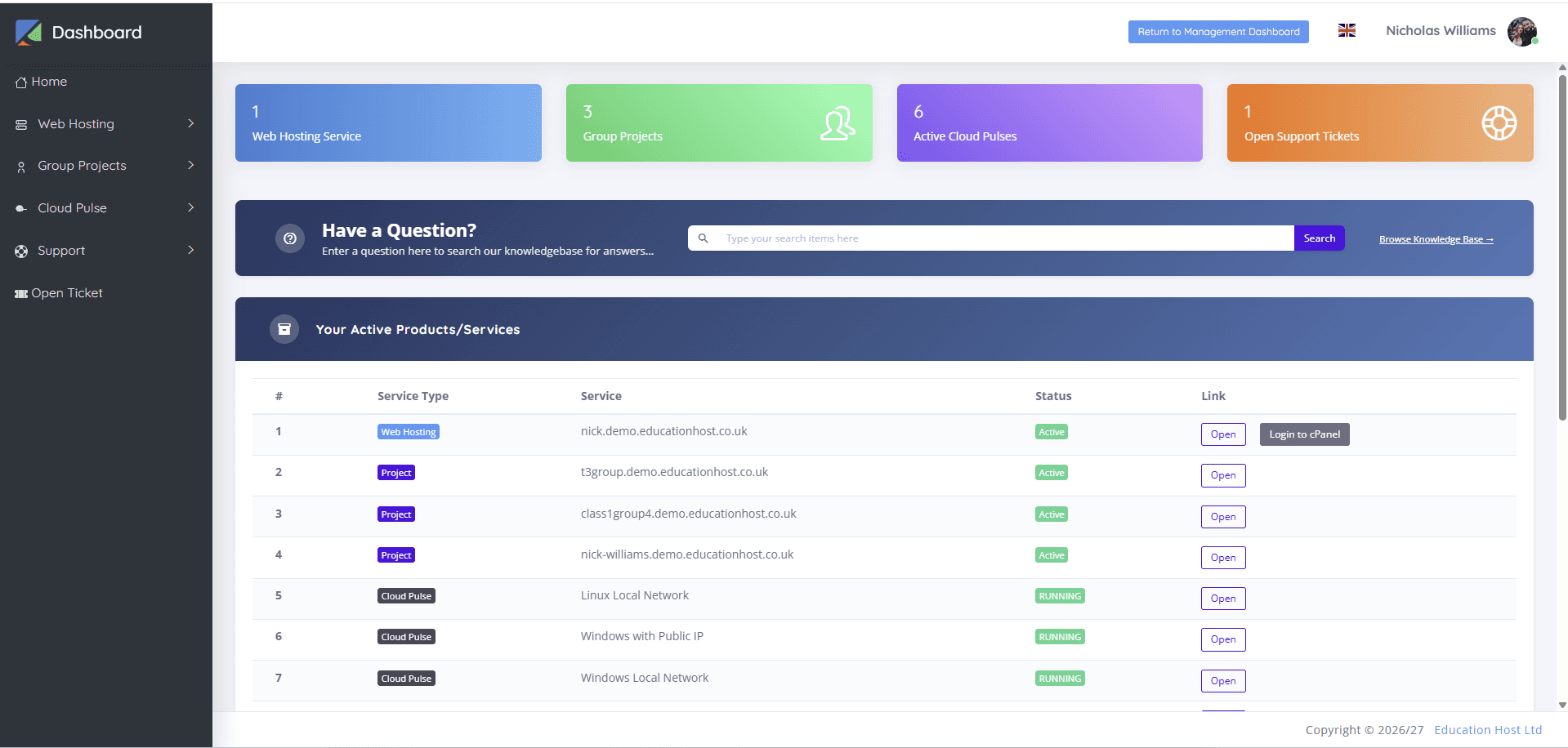
Student Web Host Manager supports group project hosting alongside individual accounts where supported — a team's site or application lives in a governed shared space that appears on members' dashboards, instead of hiding inside one student's personal account.
For team lab work, Cloud Pulse provides shared pulses and group environments, so a project team can build against one environment with lecturer oversight. In both cases the institution keeps visibility and lifecycle control, and assessment-period restrictions apply to the group's work just as they do to individuals.
- Governed group spaces alongside individual student hosting, where supported
- Group projects visible on each member's student dashboard
- Shared pulses and group environments for team lab work
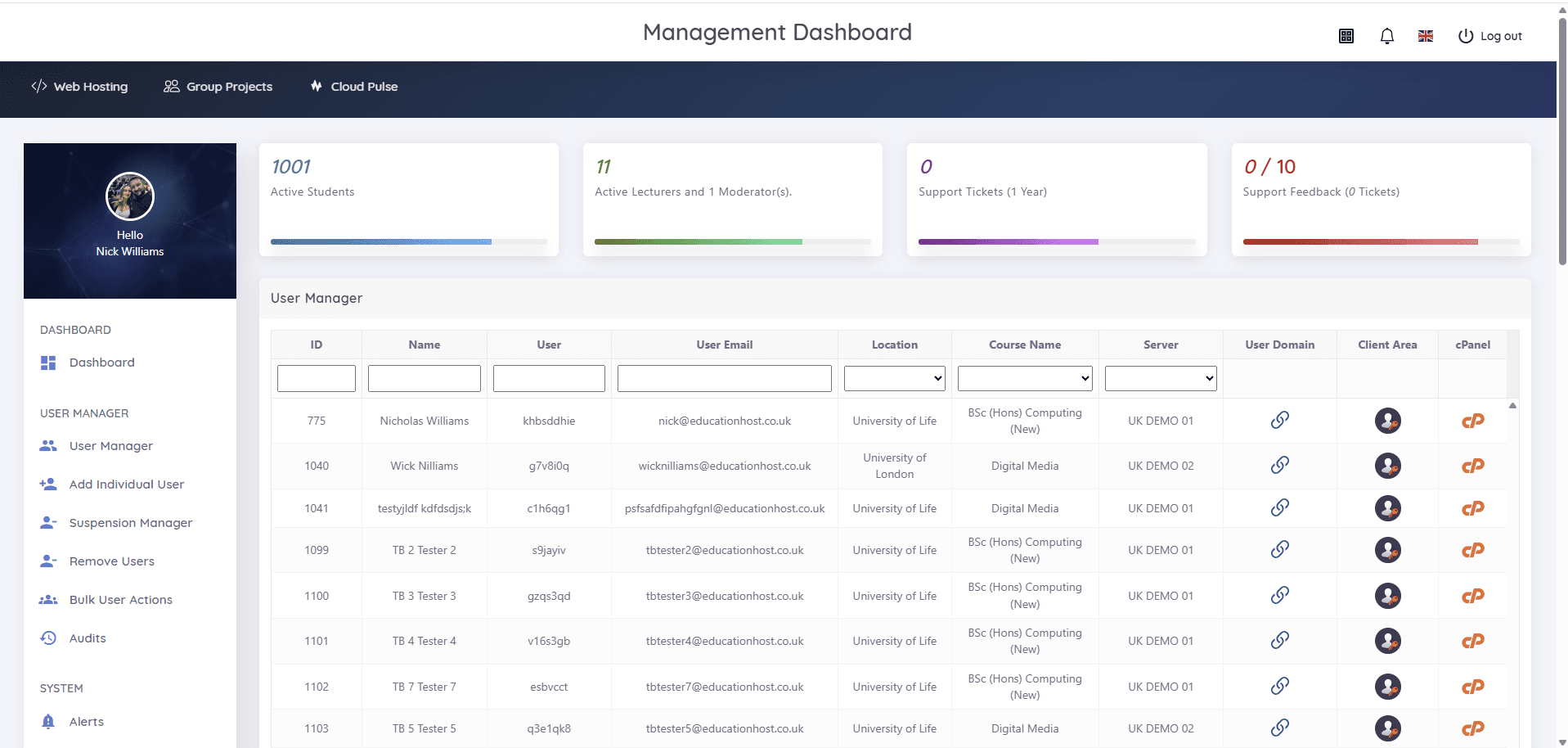
- Lecturer visibility across every team in the module
- Suspension and marking-window controls applied per project
- Clean archival of group work at module end
What teams and lecturers can do
Collaboration with ownership, visibility and an end date.
- Build team websites and applications in a shared governed space
- Access group work from each member's own signed-in dashboard
- Collaborate in shared Cloud Pulse environments for lab-based projects
- Keep individual coursework separate from team deliverables
- Lecturers review each team's live work throughout the project
- Course teams freeze group work at the deadline like any submission
Example teaching activities
Team coursework that fits governed group hosting.
Agency-style client brief
Teams build a site for a realistic client brief in a shared space, presenting the live URL at the end.
Group application build
A team web application developed across the term, with the shared artefact assessable at any point.
Team lab project
A shared Cloud Pulse environment where a team configures and operates a system together.
Assessed group submission
The team's hosting is restricted at the deadline and marked as submitted — same discipline as individual work.
Which Education Host platforms fit this use case
Group work spans hosted projects and lab environments, so two platforms carry it.
Student Web Host Manager
Governed student web hosting at institutional scale
Group project hosting alongside individual accounts, where supported — with dashboards, visibility and lifecycle controls.
Explore Student Web Host ManagerEducation Web Hosting
Managed web hosting built for education
The hosting layer group sites and applications run on.
Explore Education Web HostingCloud Pulse
Browser-based computing labs for universities
Shared pulses and group environments for team-based lab and infrastructure projects.
Explore Cloud PulseTeaching outcomes
- Team projects live in owned, governed spaces — not personal accounts
- No shared passwords or orphaned project hosting
- Lecturers see every team's real progress, not just the final demo
- Group deadlines are enforced at platform level
- Collaboration skills are taught on infrastructure that mirrors work
Explore related use cases
Scenarios institutions often pair with this one.
Final-year project hosting
Stable hosting for capstone projects, demos and dissertations — work that survives from build through demo, marking and moderation.
Explore use caseFull stack development
Front end, back end, databases and deployment in one teaching setup — hosted web projects plus browser-based labs for the heavier stacks.
Explore use caseDigital marketing modules
Live landing pages, WordPress sites and SEO coursework on real URLs — digital marketing taught on the web, not in mockups.
Explore use caseAssessment & marking periods
Freeze student hosting at the deadline, keep work available to markers and reopen cleanly — deadline control without manual account work.
Explore use caseGroup project hosting — frequently asked questions
Direct answers about this use case and the Education Host platforms behind it.
- What is group project hosting?
- It is shared, institution-governed hosting for team coursework — a group's website, application or lab environment with clear membership and lecturer visibility, instead of work scattered across personal accounts.
- How does Education Host support group projects?
- Student Web Host Manager provides group project hosting alongside individual accounts where supported, visible on each member's dashboard; Cloud Pulse adds shared pulses and group environments for team lab work.
- Do students share passwords for group work?
- No. Each member signs in with their own credentials — with Microsoft Entra where configured — and accesses the group's work through their own dashboard.
- Can lecturers see each team's work?
- Yes. Lecturer and administrator visibility covers group projects just as it covers individual accounts, so teams can be reviewed throughout the module rather than only at the demo.
- Can group work be frozen at the deadline?
- Yes. Assessment-period controls — suspension, restriction and marking windows — apply to group hosting the same way they apply to individual student accounts.
- Which Education Host platform is best for group projects?
- Student Web Host Manager for hosted team sites and applications; Cloud Pulse for shared lab environments. Many modules use both together.
- How do we start?
- Book a consultation with Education Host — we'll scope your module's team structure and project format, and confirm how group spaces should be set up.
See how this use case fits your institution
Tell us about your modules, cohorts and calendar, and we'll map this use case to the right Education Host platforms — including what to leave out.