
Use case — Web Development & Computing
Full stack development hosting for teaching
Full stack modules cover the whole application — interface, server logic, data and deployment. Education Host pairs governed student web hosting for hosted projects with Cloud Pulse browser-based computing labs for the stacks that need a full machine.
- Hosted front-end and PHP/MySQL projects on student web hosting
- Cloud Pulse pulses for Node.js, Python and framework-based stacks
- Realistic deployment instead of localhost-only coursework
- Group projects alongside individual accounts, where supported
- One governed setup across the whole module
A use case supported by Education Host — platforms, hosting and infrastructure built exclusively for education.
The challenge: full stack teaching spans more than one environment
A full stack module might need a static front end, a PHP and MySQL site, and a Node.js or Python service — no single student laptop setup covers it all reliably.
Many layers, many setups
Front end, server, database and tooling each bring installation steps that multiply across every student device in the cohort.
Deployment is part of the syllabus
Students need to experience moving an application from development to a served environment — not just run everything on one machine.
Group work raises the stakes
Team projects need shared environments with clear access — personal machines and ad-hoc free tiers make collaboration and marking messy.
How Education Host supports full stack teaching
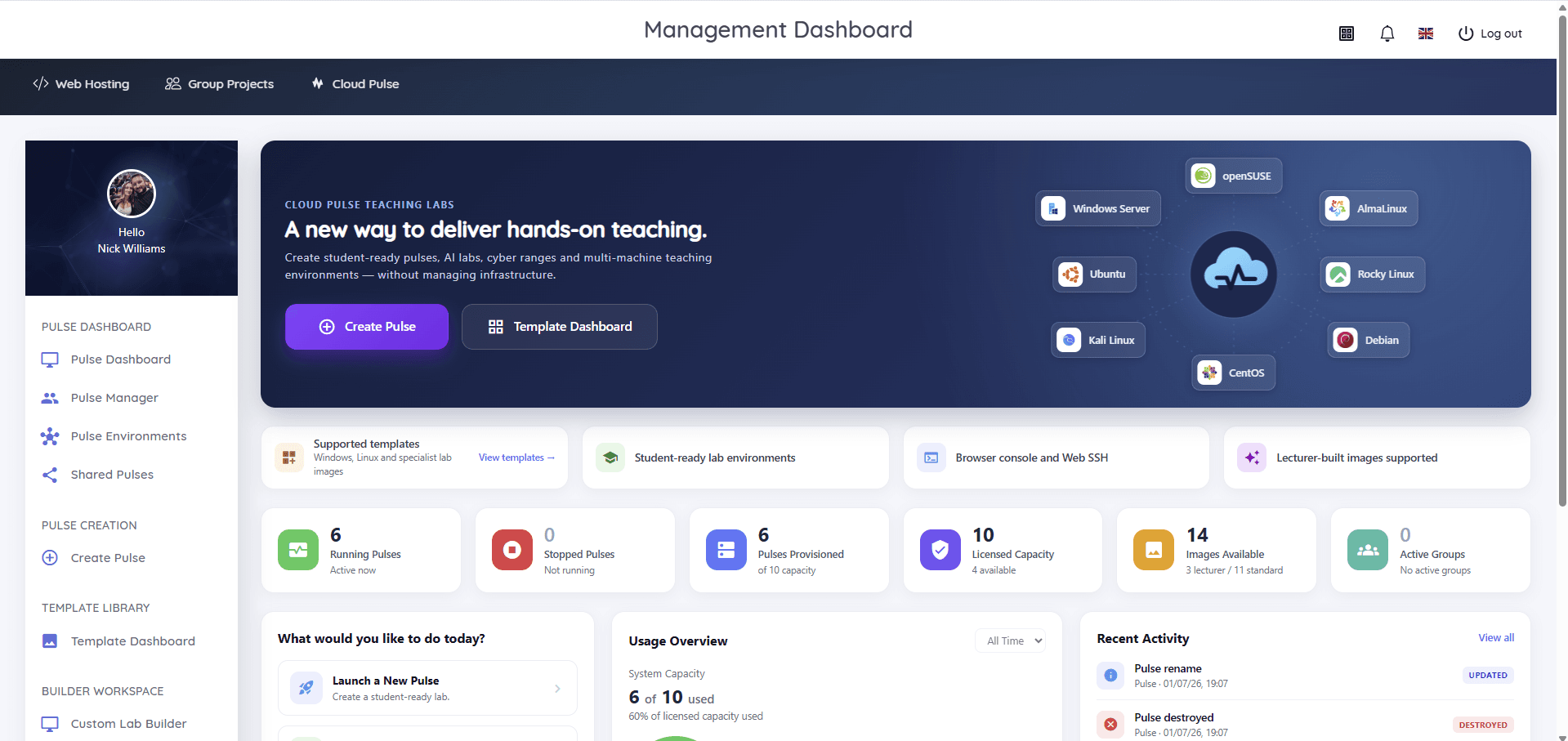
Education Host covers both halves of a full stack module. Hosted web projects — HTML, CSS, JavaScript, PHP and MySQL — run on governed student web hosting with live URLs; heavier stacks run in Cloud Pulse, where lecturers deploy pre-configured education virtual machines with the tools the module needs.
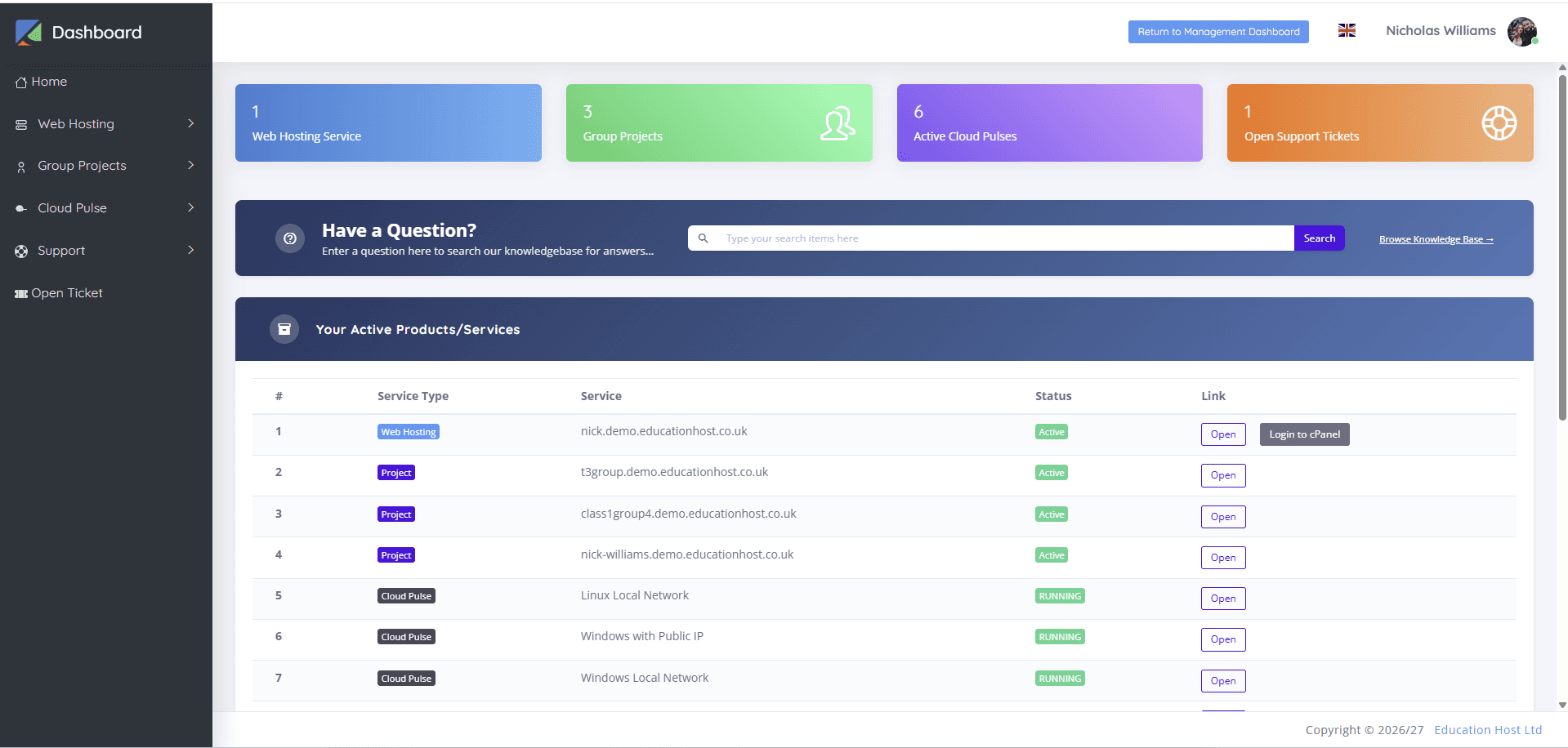
Cloud Pulse templates can include stacks such as Python, Node.js, databases, Docker and Git (as pre-configured builds or lecturer-built images), so every student works in an identical environment — and where an institution enables it, students see their Cloud Pulse services in the same Student Web Host Manager dashboard as their hosting.
- Per-student web hosting for front-end and PHP/MySQL project work
- Cloud Pulse pulses for full-machine stacks — accessed in the browser, no local installs
- Reusable lab templates so every cohort starts from the same build
- Individual pulses, shared pulses and group environments to match the module
- Group project hosting alongside individual accounts, where supported
- One student dashboard for hosting and Cloud Pulse services, where enabled
What students and lecturers can do
The whole application lifecycle, inside institution-managed environments.
- Build and deploy front ends to live student hosting
- Develop server-side logic and databases in a consistent lab environment
- Work with Git and modern toolchains inside Cloud Pulse pulses
- Move projects from a development environment to a served URL
- Collaborate in group environments with clear membership
- Lecturers monitor environments live and open a browser console to help
Example teaching activities
Module work that fits the hosting-plus-labs pairing.
Hosted portfolio application
A PHP and MySQL application with a polished front end, deployed to the student's own hosting account.
Framework project in a pulse
A Node.js or Python application built inside a lecturer-defined Cloud Pulse environment, identical for every student.
Team build with shared hosting
A group project delivered in a shared environment, with individual contributions tracked through Git.
Deployment walkthrough
Students take one application from local development in a pulse to a live hosted URL, documenting each step.
Which Education Host platforms fit this use case
Full stack teaching usually pairs Student Web Host Manager and Education Web Hosting with Cloud Pulse.
Student Web Host Manager
Governed student web hosting at institutional scale
Governs the hosted side — provisioning, group projects where supported, lecturer visibility and lifecycle controls.
Explore Student Web Host ManagerCloud Pulse
Browser-based computing labs for universities
Browser-based labs for the full-machine stacks — Node.js, Python, databases and toolchains in reusable templates.
Explore Cloud PulseEducation Web Hosting
Managed web hosting built for education
The live hosting layer for front-end and PHP/MySQL project work with SSL on student subdomains.
Explore Education Web HostingManaged Infrastructure
UK data-centre hosting, managed by Education Host
The managed UK infrastructure both platforms run on.
Explore Managed InfrastructureTeaching outcomes
- Students experience the full application lifecycle, including deployment
- Identical lab environments remove device variability from marking
- Group coursework runs in governed shared environments, not ad-hoc accounts
- Modules reuse the same lab templates every year without rebuilds
- One education-focused partner covers hosting, labs and infrastructure
Explore related use cases
Scenarios institutions often pair with this one.
Web development courses
Give every student on a web development module real hosting — HTML, CSS, JavaScript and PHP on live URLs, provisioned and governed centrally.
Explore use caseBackend & database development
Server-side and database coursework on real hosting — PHP, MySQL, CRUD applications and data-driven projects with lecturer oversight.
Explore use caseSoftware engineering & DevOps
Git workflows, Linux environments and deployment thinking taught in browser-based labs that reset cleanly for every cohort.
Explore use caseGroup project hosting
Shared, governed spaces for team coursework — group sites and environments with clear membership, lecturer visibility and deadline controls.
Explore use caseFull stack development — frequently asked questions
Direct answers about this use case and the Education Host platforms behind it.
- What is full stack development hosting for teaching?
- It is the combination of real web hosting for deployed student projects and managed development environments for the heavier parts of the stack — so a full stack module can cover front end, back end, data and deployment without depending on each student's laptop.
- How does Education Host support full stack modules?
- Education Host provides governed student web hosting for hosted front-end and PHP/MySQL work, and Cloud Pulse browser-based computing labs for Node.js, Python and framework-based stacks — with reusable templates so every student gets an identical environment.
- Which Education Host platform is best for full stack teaching?
- Most full stack modules pair the two: Student Web Host Manager with Education Web Hosting for the hosted project work, and Cloud Pulse for full-machine development environments.
- Can this support group projects?
- Yes. Student Web Host Manager supports group project hosting alongside individual accounts, and Cloud Pulse offers shared pulses and group environments for team-based lab work.
- Do students need to install anything locally?
- No. Cloud Pulse environments are accessed through a web browser with in-browser console and Web SSH access, and hosted project work happens through cPanel tools in the browser.
- Can students use Node.js or Python?
- Yes — inside Cloud Pulse, where lecturers define the environment, including stacks such as Node.js and Python. On student web hosting, Node.js and Python are a scoping conversation depending on the institution's setup.
- How do we start?
- Book a consultation with Education Host and we'll map your module's stack to the right mix of hosting and Cloud Pulse labs, then confirm setup for your cohort sizes.
See how this use case fits your institution
Tell us about your modules, cohorts and calendar, and we'll map this use case to the right Education Host platforms — including what to leave out.