
Use case — Teaching Operations
Hosting controls for assessment and marking periods
When coursework lives on live hosting, deadlines need teeth. Student Web Host Manager aligns account states to module dates and marking windows — submissions stop changing when marking starts, markers keep access to the work, and extensions are handled deliberately rather than by exception emails.
- Suspension and restriction aligned to submission deadlines
- Work preserved as submitted through the marking window
- Lecturer visibility of every student site during assessment
- Extensions handled through account-level controls
- Bulk reopening or archival once marks are released
A use case supported by Education Host — platforms, hosting and infrastructure built exclusively for education.
The operational challenge: live coursework and hard deadlines
Hosted coursework is exactly what makes web modules good — and exactly what makes deadlines awkward if hosting has no calendar controls.
Work can change after the deadline
If accounts stay fully open, nothing stops edits landing between submission and marking — and disputes follow.
Markers need reliable access
Assessors must reach every student's work throughout the marking window, even when student access is restricted.
Extensions become manual exceptions
Without lifecycle controls, every extension and late submission is a hand-managed special case for IT.
How Education Host supports assessment periods
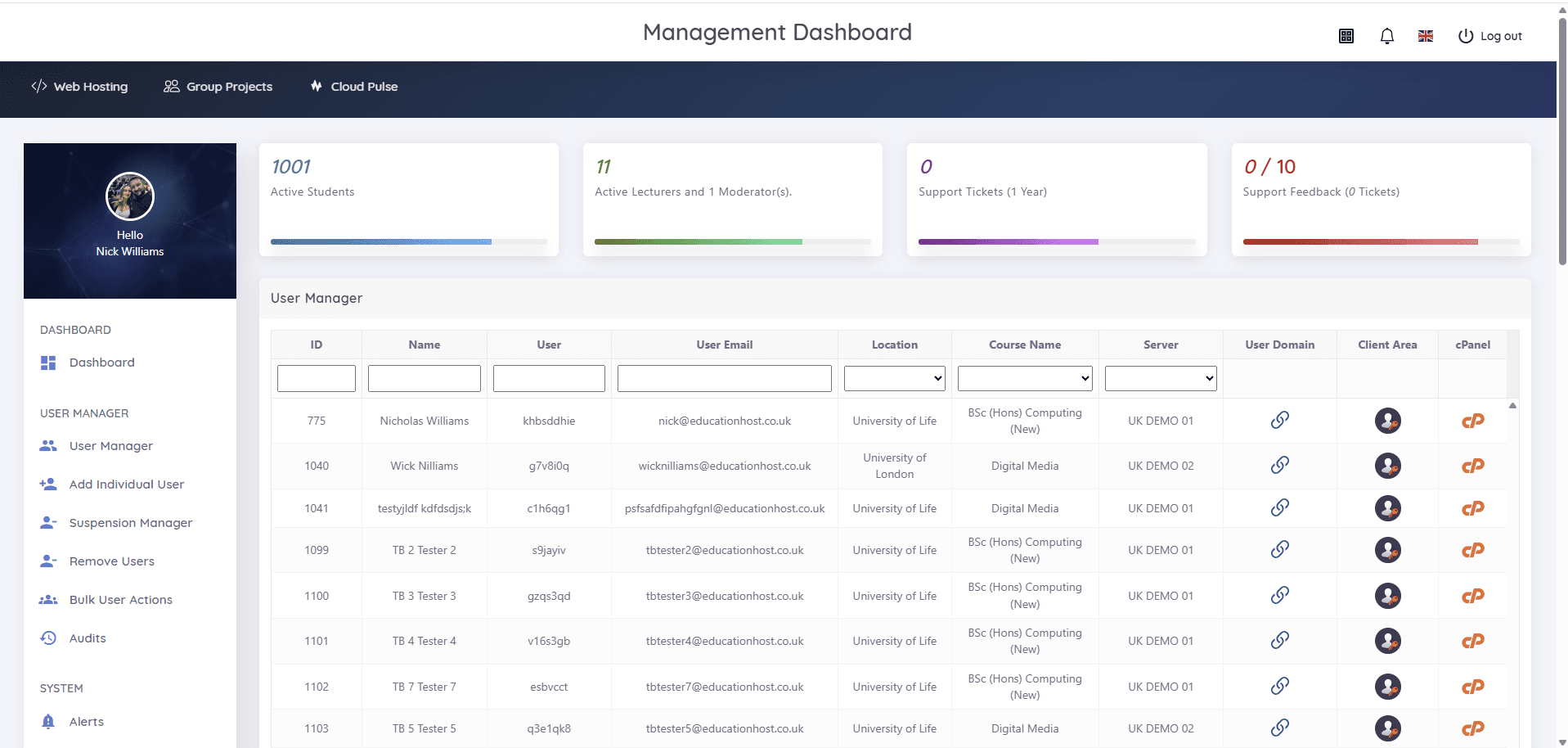
Student Web Host Manager gives institutions account-level control around assessment: its suspension manager and lifecycle states — active, restricted, archived, reopened — align hosting access to module dates and marking windows, so a whole cohort can be locked at the deadline in one action.
Restricted work stays as submitted while marking proceeds, lecturers keep visibility of every account and site through the management dashboard, and individual accounts can be handled separately where extensions apply. When marks are released, accounts are reopened or archived in bulk, in line with institutional policy.
- Suspension manager for module end, deadlines and marking windows
- Lifecycle states — active, restricted, archived, reopened
- Bulk actions across a cohort, individual handling for extensions
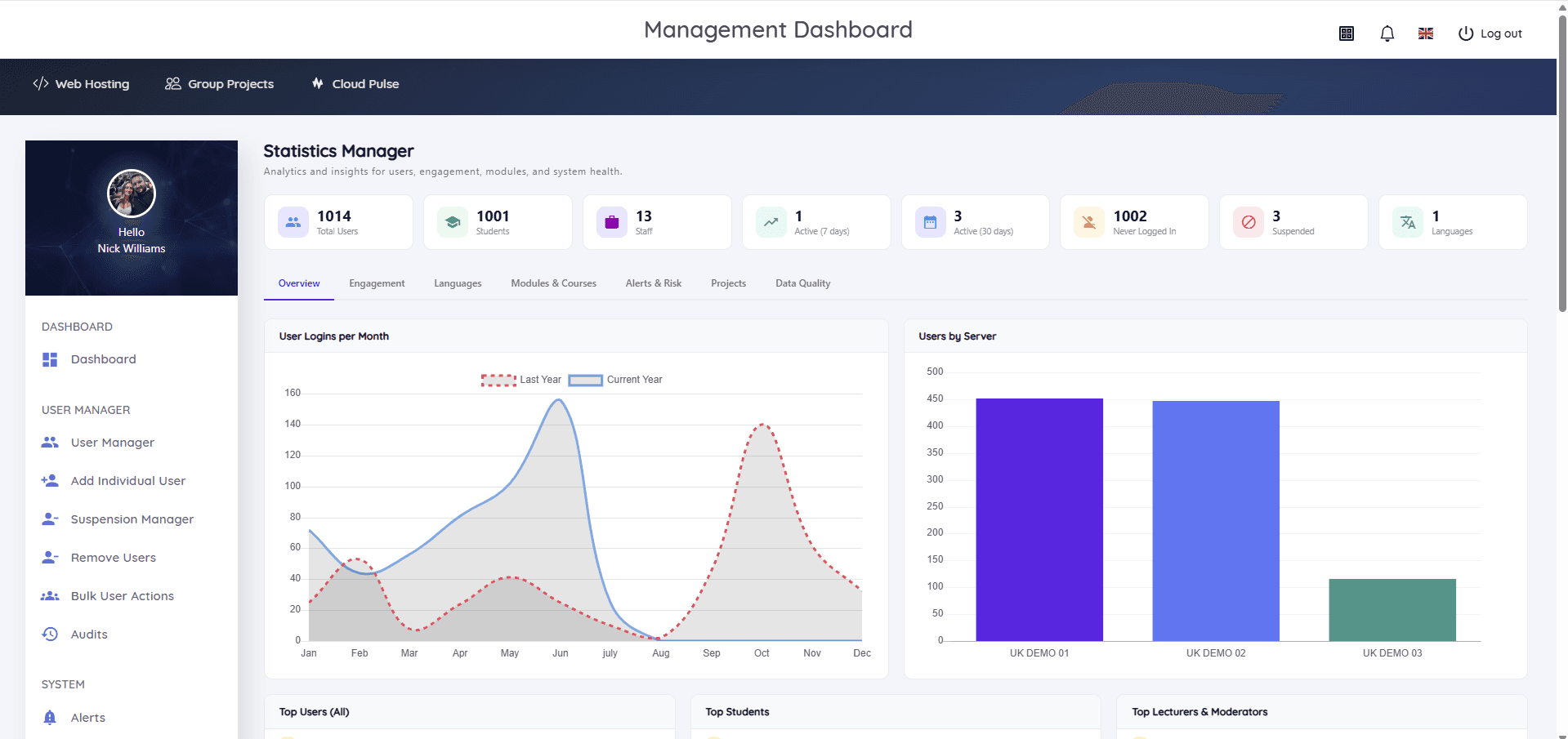
- Lecturer and administrator visibility throughout assessment
- Audit visibility of account-state changes
- Clean archival once assessment completes
What course teams can do
Assessment logistics handled at platform level.
- Lock a cohort's hosting at the submission deadline in one action
- Keep submitted sites reachable for markers and moderators
- Grant extensions by adjusting individual account states
- Track which accounts are restricted, suspended or reopened
- Reopen the cohort after marks release, or archive per policy
- Evidence account-state history if a dispute arises
Example assessment workflows
How marking periods run with lifecycle controls in place.
Deadline lock
At the submission time, the module's accounts move to a restricted state — the work stops changing.
Marking window
Assessors work through live student sites while students retain read visibility, depending on setup.
Extension handling
Students with approved extensions keep access individually while the rest of the cohort stays locked.
Release and reopen
After moderation, accounts reopen for continued work or archive at module end — in bulk, with audit visibility.
Which Education Host platforms fit this use case
Assessment-period control is a Student Web Host Manager capability on Education Host hosting.
Student Web Host Manager
Governed student web hosting at institutional scale
The control layer — suspension manager, lifecycle states, bulk actions and audit visibility around deadlines.
Explore Student Web Host ManagerEducation Web Hosting
Managed web hosting built for education
The hosting the coursework lives on, with support planned around teaching and assessment periods.
Explore Education Web HostingOperational outcomes
- Submissions are provably stable from deadline to marks release
- Marking disputes lose their ambiguity — account states are on record
- Extensions are policy actions, not IT favours
- No end-of-term scramble to lock or clean up accounts
- Fair assessment is supported by infrastructure, not goodwill
Explore related use cases
Scenarios institutions often pair with this one.
Reduce hosting workload for IT teams
Replace per-account hosting admin with governed provisioning, Entra sign-in and lifecycle automation — and a partner who runs the platform.
Explore use caseWeb development courses
Give every student on a web development module real hosting — HTML, CSS, JavaScript and PHP on live URLs, provisioned and governed centrally.
Explore use caseCreative & media courses
Portfolio and showcase hosting for creative courses — media projects and student work published on institution-branded sites.
Explore use caseGroup project hosting
Shared, governed spaces for team coursework — group sites and environments with clear membership, lecturer visibility and deadline controls.
Explore use caseAssessment & marking periods — frequently asked questions
Direct answers about this use case and the Education Host platforms behind it.
- How can hosting be controlled during assessment periods?
- Student Web Host Manager aligns account states to module dates and marking windows: cohorts are restricted or suspended at the deadline in bulk, kept stable through marking and reopened or archived afterwards.
- Can student work be frozen at the deadline?
- Yes. The suspension manager moves accounts into a restricted state at the deadline, so submitted sites stop changing while marking takes place.
- Can markers still see the work?
- Yes. Lecturers and administrators keep visibility of student accounts and sites through the management dashboard throughout the marking window.
- How are extensions handled?
- Individually. Accounts with approved extensions are kept active while the rest of the cohort stays restricted — no ad-hoc exceptions handled over email.
- Does this reduce marking disputes?
- It removes the ambiguity that fuels them: account-state changes carry audit visibility, so what was locked and when is a matter of record rather than recollection.
- Which Education Host platform provides these controls?
- Student Web Host Manager, running on Education Web Hosting. The controls apply across student websites, WordPress coursework and group project hosting alike.
- How do we start?
- Book a consultation with Education Host — we'll map your assessment calendar and module structure to the platform's lifecycle controls.
See how this use case fits your institution
Tell us about your modules, cohorts and calendar, and we'll map this use case to the right Education Host platforms — including what to leave out.