
Use case — IT, Admin & Security
Linux server administration labs for education
System administration cannot be taught read-only. Cloud Pulse gives every student their own Linux server — Ubuntu, Debian, Rocky Linux and other major distributions — with full command-line control, accessed in the browser and reset from a template when things go wrong.
- A dedicated Linux environment per student
- Ubuntu, Debian, AlmaLinux, Rocky Linux, openSUSE, RHEL-family and more
- Browser console and Web SSH access — no local setup
- Users, permissions, services and networking practised for real
- Broken servers redeploy from the template in minutes
A use case supported by Education Host — platforms, hosting and infrastructure built exclusively for education.
The challenge: sysadmin skills need servers students can break
Managing users, services and permissions only sinks in when the student holds root — which rules out shared machines and read-only demos.
Shared servers cannot give root
On a shared teaching box, one student's mistake is everyone's outage — so nobody gets real administrative control.
Local virtualisation is uneven
Running server images on student laptops depends on hardware, hypervisor quirks and disk space no one can standardise.
Mistakes must be recoverable
A misconfigured firewall or broken boot should cost minutes — otherwise students learn to fear the terminal instead of using it.
How Education Host supports Linux administration teaching
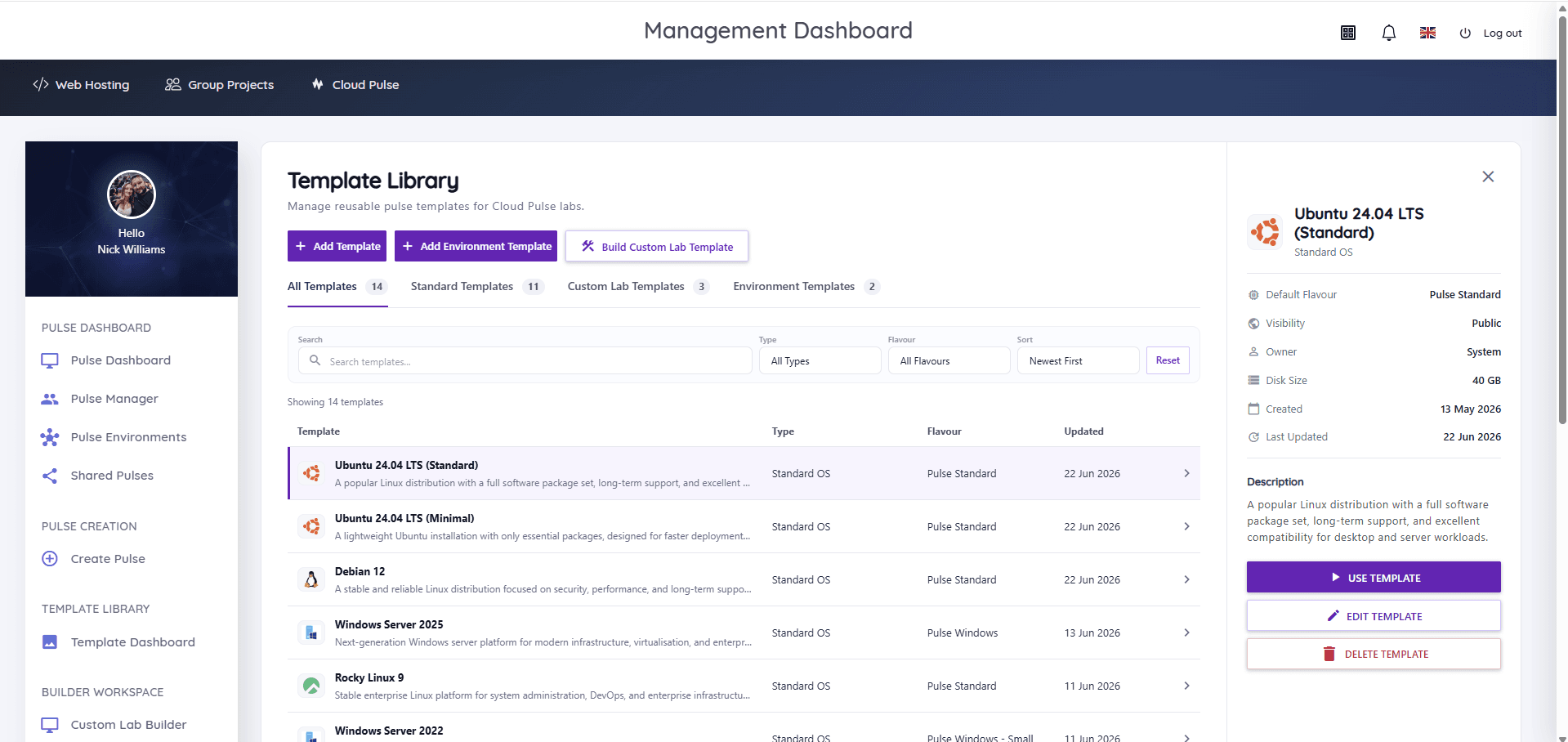
Cloud Pulse provides each student with their own Linux education virtual machine — a pulse — deployed from standard templates covering Ubuntu, Debian, AlmaLinux, Rocky Linux, openSUSE, CentOS Stream, Red Hat Enterprise Linux and Fedora, with full administrative control inside their environment.
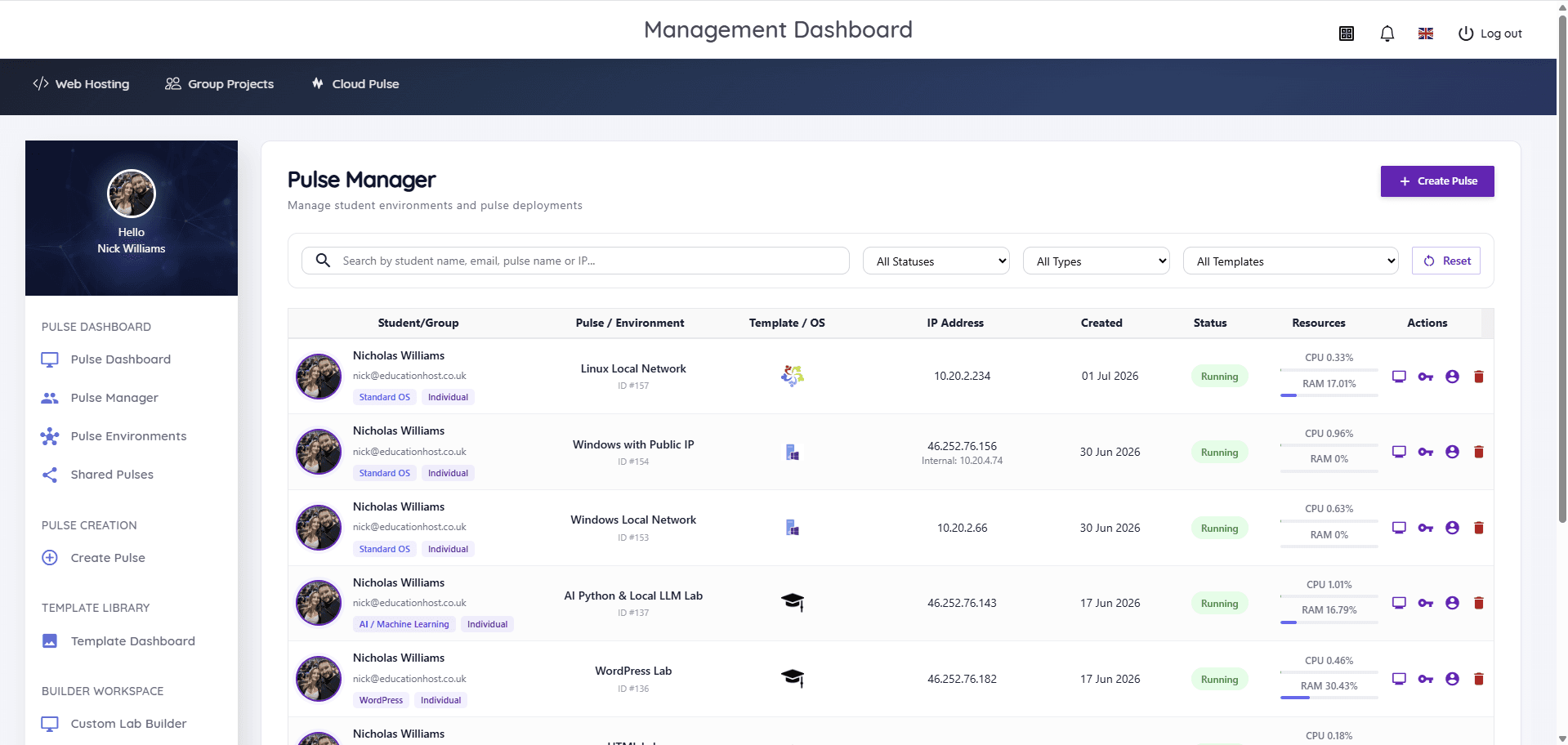
Students connect through the browser with console and Web SSH access, so a locked-down campus PC or a Chromebook is enough. Lecturers watch live status and resource usage in Pulse Manager, help through the console, and redeploy any broken server from the module template.
- Per-student Linux servers with administrative control
- Standard templates across the major distributions
- Browser console and Web SSH — no VPN or local tooling required
- Web and database service exercises inside each environment
- Live per-student status and resource usage for lecturers
- Clean redeployment from templates between exercises
What students and lecturers can do
Real administration, safely contained per student.
- Manage users, groups, permissions and sudo policies
- Install, configure and troubleshoot system services
- Set up web and database servers inside their environment
- Practise SSH, keys and remote administration workflows
- Diagnose problems from logs and process tools
- Lecturers monitor the cohort live and reset machines as needed
Example teaching activities
Sysadmin coursework that fits per-student Linux pulses.
Command-line foundations
Filesystem, permissions and shell exercises on each student's own server, marked by inspecting the machine state.
LAMP-style stack build
Students install and configure a web server and database, then serve a working application from their pulse.
Hardening checklist
SSH configuration, user policy and firewall exercises assessed against a security baseline.
Break-fix scenarios
Lecturers hand out deliberately broken machines; students diagnose from logs and restore service.
Which Education Host platforms fit this use case
Linux administration teaching is a core Cloud Pulse workload.
Cloud Pulse
Browser-based computing labs for universities
Per-student Linux servers from standard templates, with browser access and live lecturer oversight.
Explore Cloud PulseManaged Infrastructure
UK data-centre hosting, managed by Education Host
The monitored UK infrastructure the teaching environments run on, managed by Education Host.
Explore Managed InfrastructureTeaching outcomes
- Every student administers a real server, not a shared account
- Mistakes become teaching moments with minutes-long recovery
- The module runs identically on any student device
- Lecturers assess actual machine state, not screenshots
- The lab template carries to next year untouched
Explore related use cases
Scenarios institutions often pair with this one.
Windows Server administration
Windows Server 2022 and 2025 teaching environments — server roles, remote administration and directory services concepts without local licensing headaches.
Explore use caseOperating systems modules
Windows and Linux environments for operating systems teaching — consistent, browser-accessed machines instead of local installs on student laptops.
Explore use caseCyber security labs
Isolated, controlled lab environments for security teaching — private networks, Kali Linux images and multi-machine exercises within agreed boundaries.
Explore use caseSoftware engineering & DevOps
Git workflows, Linux environments and deployment thinking taught in browser-based labs that reset cleanly for every cohort.
Explore use caseLinux server administration — frequently asked questions
Direct answers about this use case and the Education Host platforms behind it.
- What are Linux server administration labs?
- They are teaching environments where each student runs their own Linux server with administrative control — practising users, permissions, services, SSH and troubleshooting on a machine they are allowed to break.
- How does Education Host support Linux teaching?
- Cloud Pulse deploys per-student Linux environments from standard templates — Ubuntu, Debian, AlmaLinux, Rocky Linux, openSUSE, CentOS Stream, RHEL-family and Fedora — with browser console and Web SSH access and live lecturer monitoring.
- Do students get root access?
- Students get administrative control inside their own isolated environment, which is exactly what system administration modules need — one student's mistake never affects another's server.
- Which Linux distributions are available?
- Standard Cloud Pulse templates cover Ubuntu, Debian, AlmaLinux, Rocky Linux, openSUSE, CentOS Stream, Red Hat Enterprise Linux and Fedora, plus lecturer-built images for specialist builds.
- What happens when a student breaks their server?
- The environment is redeployed from the module template in minutes — which makes experimentation safe and turns failures into learning.
- Can this work with Cloud Pulse cyber security labs?
- Yes. The same platform builds isolated multi-machine security labs, so Linux administration and security modules can share templates and infrastructure.
- How do we start?
- Book a consultation with Education Host — we'll scope your distribution choices, exercises and cohort size, and prepare templates ready for teaching.
See how this use case fits your institution
Tell us about your modules, cohorts and calendar, and we'll map this use case to the right Education Host platforms — including what to leave out.