
Use case — IT, Admin & Security
Networking labs for practical teaching
Networking concepts stick when students configure real machines that talk to each other. Cloud Pulse provides controlled lab environments — private networks, Linux and Windows machines where configured, and browser-based access — so practical networking teaching stops depending on student-owned hardware.
- Browser-based access to networking lab machines
- Practical IP addressing, services and server exercises
- Private lab networks for multi-machine designs, where configured
- Linux and Windows scenarios on one platform, where configured
- Controlled teaching environments with agreed boundaries
A use case supported by Education Host — platforms, hosting and infrastructure built exclusively for education.
The challenge: networking is taught between other people's firewalls
Campus networks are locked down for good reasons — which leaves networking modules improvising with home routers, VPN quirks and laptops that cannot see each other.
No safe place to practise
Students cannot experiment with addressing, services and traffic on production networks — and should not be asked to.
Devices that cannot participate
Local firewalls, NAT and personal-device policies quietly break class exercises that need machines to reach each other.
Exercises that will not repeat
A networking exercise assembled by hand rarely runs the same way twice — and never survives to next year's cohort intact.
How Education Host supports networking teaching
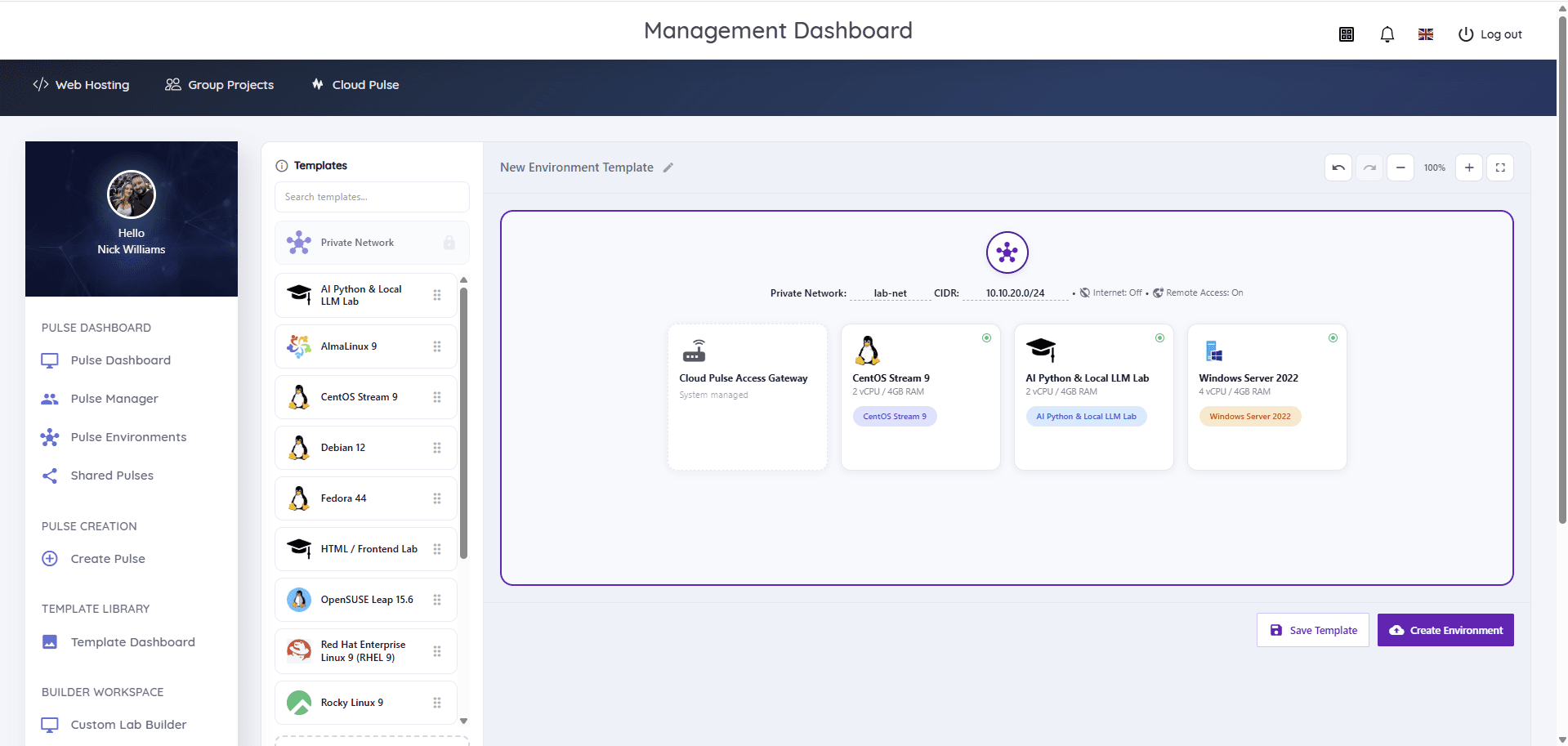
Cloud Pulse provides controlled lab environments for networking modules: education virtual machines on private lab networks, composed in the Custom Lab Builder where multi-machine designs are configured, with internet access off by default and remote access through a system-managed gateway.
Students work through addressing, services, DNS and client–server exercises inside the lab boundary, from any browser. Labs are saved as templates and redeployed per cohort, Managed Infrastructure carries the capacity, and Education Host can help scope the module's lab designs and agreed boundaries.
- Private lab networks with internet access off by default
- Multi-machine lab designs via the Custom Lab Builder, where configured
- Linux and Windows Server machines in one lab, where configured
- Browser console, Web SSH and managed remote access
- Whole labs saved as templates and reused each cohort
- Controlled teaching environments within agreed boundaries
What students and lecturers can do
Machines that actually talk to each other, safely contained.
- Work through IP addressing and subnetting against real interfaces
- Connect between machines with SSH and remote desktop workflows
- Stand up web, database and DNS services and consume them across the lab network
- Trace client–server communication between their own machines
- Explore firewall concepts inside the lab, where configured
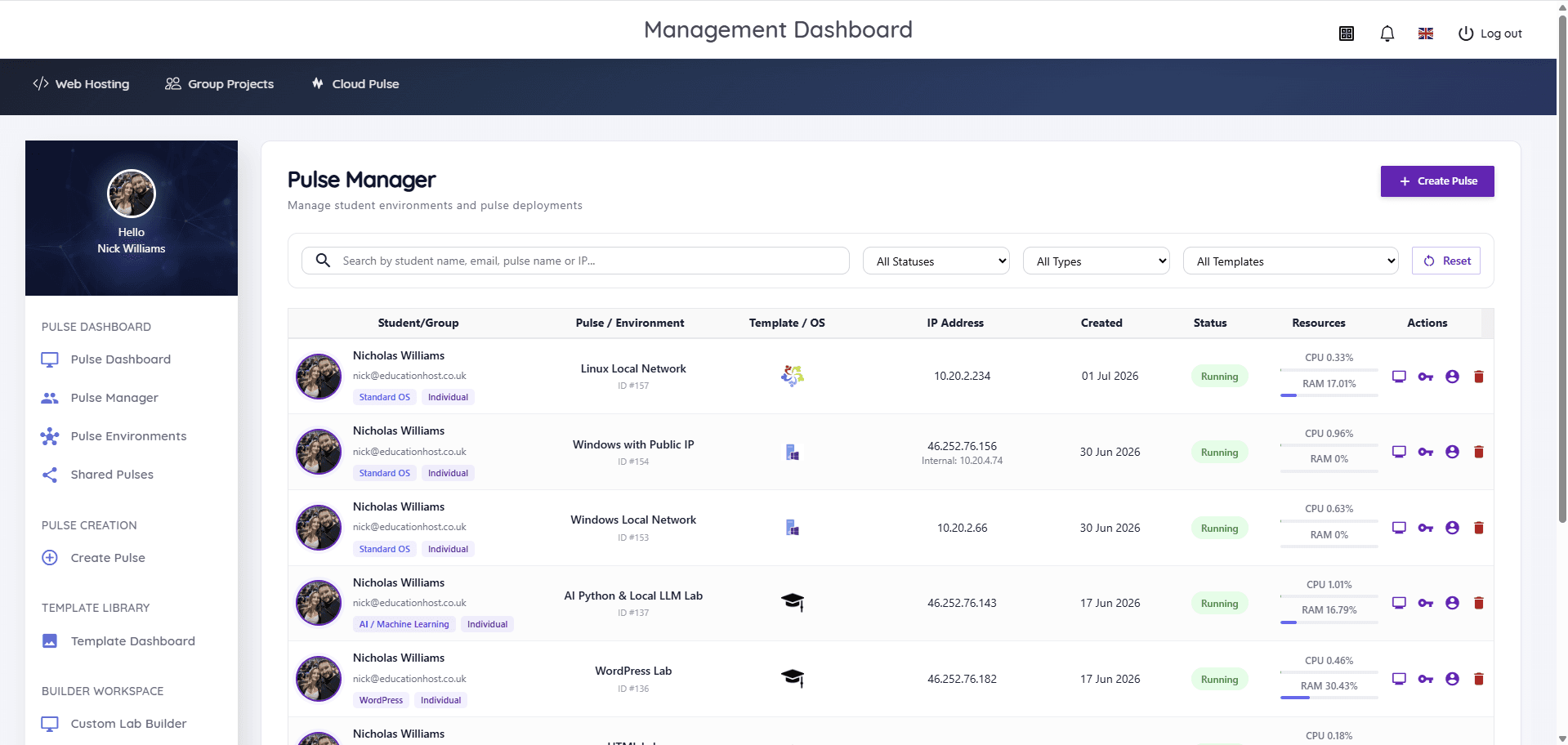
- Lecturers monitor every environment live and reset labs between sessions
Example teaching activities
Networking coursework that fits controlled lab environments.
Addressing and connectivity lab
Students configure addresses on lab machines and verify connectivity and routes between them.
Service deployment exercise
Stand up a web or database service on one machine and consume it from another across the private network.
DNS concepts walkthrough
Name resolution explored hands-on — hosts files, resolvers and service records inside the lab boundary.
Client–server analysis
Observe and document the conversation between a client and server the student built themselves.
Which Education Host platforms fit this use case
Networking labs are a natural Custom Lab Builder workload on Cloud Pulse.
Cloud Pulse
Browser-based computing labs for universities
Controlled multi-machine lab environments on private networks, built from templates and monitored live.
Explore Cloud PulseManaged Infrastructure
UK data-centre hosting, managed by Education Host
The monitored UK infrastructure behind the labs, isolated from institutional production networks.
Explore Managed InfrastructureConsultancy
Education platforms, data and digital operations
Education Host can help scope lab designs, machine mixes and the agreed boundaries for practical work.
Explore ConsultancyTeaching outcomes
- Networking is practised on real machines, not just simulated on paper
- Exercises run identically for every student, on any device
- Production networks stay untouched by teaching activity
- Multi-machine labs redeploy from templates each cohort
- Lecturers keep live visibility across every student's lab
Explore related use cases
Scenarios institutions often pair with this one.
Operating systems modules
Windows and Linux environments for operating systems teaching — consistent, browser-accessed machines instead of local installs on student laptops.
Explore use caseCyber security labs
Isolated, controlled lab environments for security teaching — private networks, Kali Linux images and multi-machine exercises within agreed boundaries.
Explore use caseLinux server administration
Root access to real Linux servers for every student — users, permissions, services and SSH practised in browser-based labs.
Explore use caseComputer science teaching labs
One platform estate for a whole computing department — labs, student hosting and infrastructure across programming, OS, databases, cloud and AI modules.
Explore use caseNetworking labs — frequently asked questions
Direct answers about this use case and the Education Host platforms behind it.
- What is a networking lab for education?
- It is a controlled teaching environment where students practise networking concepts — IP addressing, services, DNS and client–server communication — on real machines connected over a private lab network, isolated from production systems.
- Can students access networking labs through a browser?
- Yes. Cloud Pulse environments are reached through the browser with console, Web SSH and managed remote access, so lab exercises do not depend on student-owned hardware or local network policies.
- Can this support multi-machine exercises?
- Yes, where configured. The Cloud Pulse Custom Lab Builder composes multi-machine environments on private lab networks — with internet access off by default — and saves the whole design as a reusable template.
- How is this different from local virtual machines?
- Local virtual machines depend on each laptop's hardware, hypervisor and network configuration, and machines on different laptops cannot easily reach each other. Cloud Pulse labs run on managed infrastructure with a shared private lab network, identically for every student.
- Is this suitable for universities and colleges?
- Yes. Cloud Pulse is built for higher education teaching, and networking labs scale from small option modules to core infrastructure courses.
- Can Education Host help scope a networking module?
- Yes. Book a consultation and we'll map your exercises to lab designs, machine counts and agreed boundaries with your teaching and IT teams.
See how this use case fits your institution
Tell us about your modules, cohorts and calendar, and we'll map this use case to the right Education Host platforms — including what to leave out.