
Use case — Teaching Operations
One-click application hosting for teaching
Some modules are about using applications, not installing them. On Education Host student hosting, installers such as Softaculous — where enabled — put WordPress and hundreds of other applications one click away, so teaching starts at the application, not the setup.
- WordPress and other applications installed in one click, where enabled
- 380+ one-click application installs, depending on setup
- CMS teaching without a week of installation support
- Students compare and evaluate real applications quickly
- Installs live inside governed, institution-managed hosting
A use case supported by Education Host — platforms, hosting and infrastructure built exclusively for education.
The challenge: installation time eats application teaching
When the learning outcome is 'evaluate a CMS' or 'run a web application', hand-installing software across a cohort is pure overhead.
Setup is not the syllabus
Database creation, config files and permissions consume the sessions that were meant for using the application.
Cohorts multiply every problem
One fiddly install becomes two hundred fiddly installs — each failing in its own way on its own account.
Ad-hoc installs age badly
Manually installed applications with forgotten credentials and stale versions accumulate as risk on the hosting estate.
How Education Host supports one-click application teaching
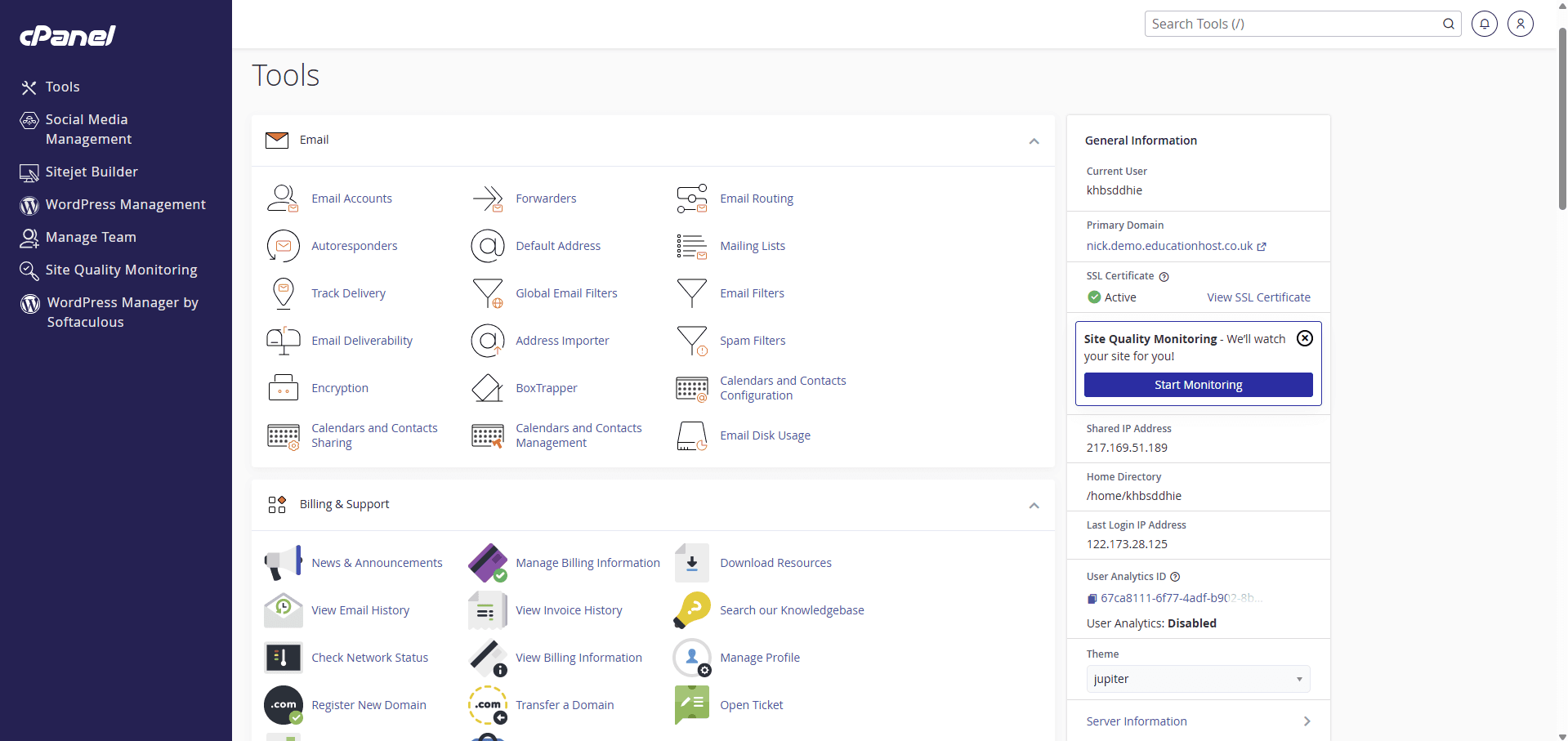
Education Host student hosting includes one-click application installs where the institution's setup enables them — with installers such as Softaculous providing WordPress and hundreds of other applications (380+, depending on setup) from the student's cPanel.
Students install what the module needs in minutes, inside hosting the institution governs; through Student Web Host Manager the accounts around those installs follow the usual provisioning, visibility and lifecycle controls, so experimental installs are cleaned up with the account at module end.
- One-click installs from cPanel, where enabled
- WordPress plus hundreds of further applications, depending on setup
- Consistent, repeatable installs across the whole cohort
- Installs sit inside governed student hosting accounts
- Accounts and their applications archived cleanly at module end
- Education-focused support around teaching and assessment periods
What students and lecturers can do
From brief to running application in one session.
- Install WordPress and other applications in one click, where enabled
- Stand up a CMS, wiki or forum for a module exercise
- Compare applications side by side on their own hosting
- Reset an experiment by reinstalling cleanly
- Lecturers set which module uses which application, not how to install it
- IT sees the accounts behind every install through the management layer
Example teaching activities
Module work that one-click installs make practical.
CMS evaluation exercise
Students install two content systems, build the same small site in each and critique the differences.
Instant WordPress cohort
A marketing or publishing module gets every student a clean WordPress install in the first session, where enabled.
Community platform project
A group stands up a forum or wiki application and manages content, roles and moderation for the term.
Application teardown
Install an application, inspect its files and database through cPanel, and document how it is put together.
Which Education Host platforms fit this use case
One-click application teaching runs on Education Web Hosting, with WordPress and governance layers as needed.
Education Web Hosting
Managed web hosting built for education
The hosting with one-click installers where enabled — 380+ applications depending on setup.
Explore Education Web HostingWordPress Hosting
WordPress for teaching, coursework and student sites
The most-taught one-click application, supported as a full education solution in its own right.
Explore WordPress HostingStudent Web Host Manager
Governed student web hosting at institutional scale
Provisioning, visibility and lifecycle controls around the accounts the applications live in.
Explore Student Web Host ManagerTeaching outcomes
- Application teaching starts at the application, not the installer
- Cohort-wide consistency without cohort-wide support effort
- Students evaluate more tools because trying one is cheap
- Experimental installs end with the account, not as estate debt
- Non-technical modules get real applications without technical gatekeeping
Explore related use cases
Scenarios institutions often pair with this one.
WordPress for teaching
WordPress as a teaching tool — CMS modules, blogs, portfolios and campaign sites on managed education hosting with cohort governance.
Explore use caseWeb development courses
Give every student on a web development module real hosting — HTML, CSS, JavaScript and PHP on live URLs, provisioned and governed centrally.
Explore use caseDigital marketing modules
Live landing pages, WordPress sites and SEO coursework on real URLs — digital marketing taught on the web, not in mockups.
Explore use caseReduce hosting workload for IT teams
Replace per-account hosting admin with governed provisioning, Entra sign-in and lifecycle automation — and a partner who runs the platform.
Explore use caseSoftaculous & one-click apps — frequently asked questions
Direct answers about this use case and the Education Host platforms behind it.
- What is one-click application hosting?
- It is hosting where common web applications — WordPress, content systems, wikis, forums and more — install from the control panel in one click, using installers such as Softaculous where the hosting setup enables them.
- Is Softaculous included on Education Host hosting?
- One-click installers are available where enabled, depending on the institution's hosting setup — with 380+ applications available depending on that setup. The exact installer and application list is confirmed when your hosting is scoped.
- Which applications can students install?
- WordPress is the most common, alongside hundreds of other applications depending on setup — content systems, wikis, forums and learning tools among them.
- Do one-click installs create unmanaged sprawl?
- No — that is the difference from ad-hoc installs. Applications live inside governed student hosting accounts, so Student Web Host Manager's visibility and lifecycle controls retire them with the account at module end.
- Which Education Host platform is best for this?
- Education Web Hosting provides the one-click installs where enabled; Student Web Host Manager adds cohort governance; and WordPress Hosting covers modules centred on WordPress specifically.
- Is this suitable for non-technical courses?
- Yes — that is its strength. Business, marketing, media and humanities modules get real web applications without asking students to become server administrators.
- How do we start?
- Book a consultation with Education Host — we'll confirm which installers and applications your hosting setup should enable for the modules you teach.
See how this use case fits your institution
Tell us about your modules, cohorts and calendar, and we'll map this use case to the right Education Host platforms — including what to leave out.